What is the type data sheet, and how do I confirm its values?
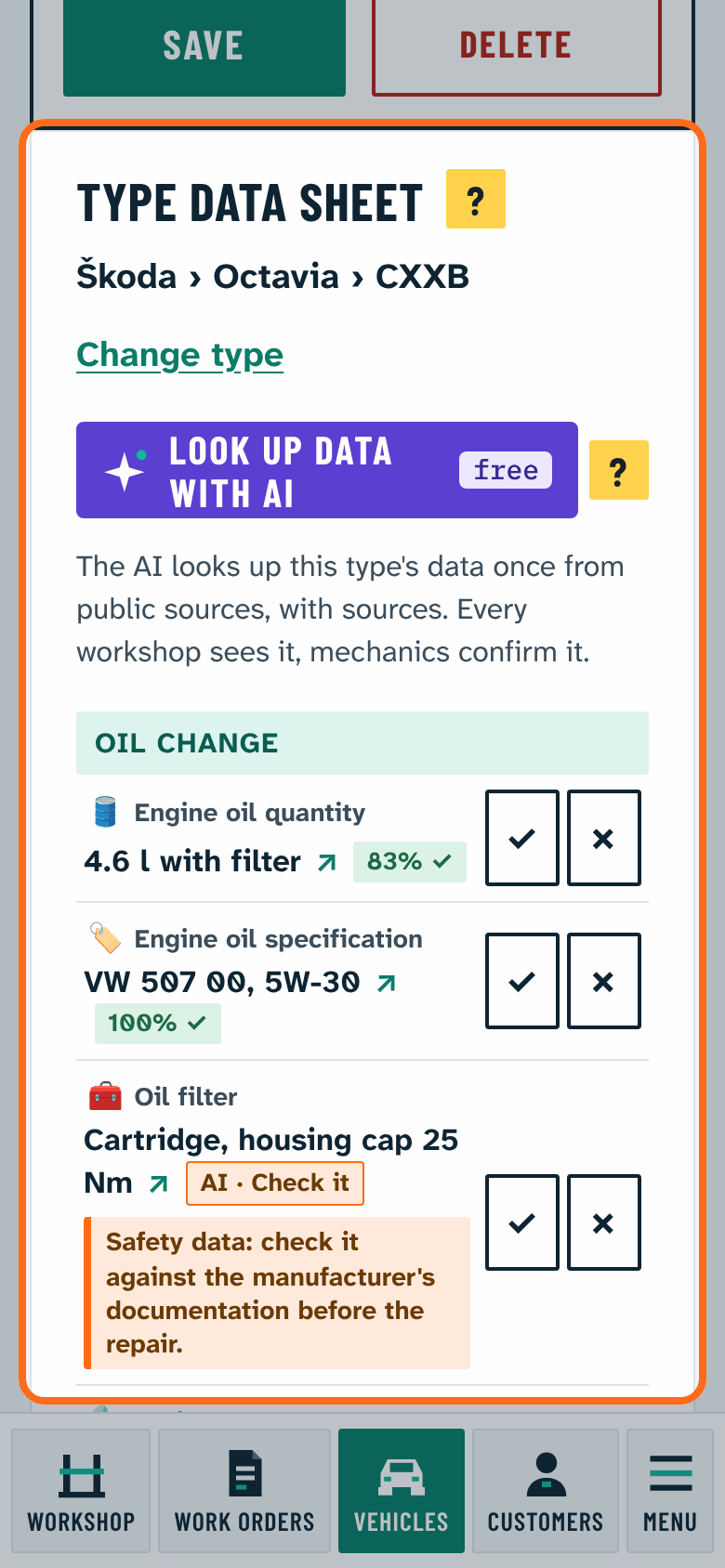
On the vehicle's page, the Type data sheet shows the type's data in groups: fill quantities, intervals, tightening torques, typical faults and mechanics' tips.
Choosing the type: the program offers the matching type from the make, model, power, displacement and fuel (and the engine code when known); choose it with This one. If none fits, New type from the car's data adds a type from the vehicle's own data (make, model, and the power or the displacement are needed; what is missing of these is shown; no engine code is needed).
Confirming: every value has a Correct and a Not correct button. Each mechanic has one vote, which can be changed later.
- Values found by the AI are marked Check it until mechanics confirm them.
- Confirmed values are green and show the share of mechanics who confirmed them.
- Important values (oil quantity and specification, service interval, wheel bolt torque) need at least three confirmations from at least two workshops.
- Values rejected several times disappear.
New value or tip: add it under + Value or tip (at the bottom of the data sheet).
AI lookup: if the Fill type data sheet (AI) option is on, the Look up data with AI button on an empty data sheet looks up the type's data once from public sources, with sources. This is shared work and costs no credits.
The type tree and the data sheet are shared by every workshop but hold only type data, never customer data, and are shown only for your own vehicles.