How do I add a car from a photo of its registration (AI)?
In Vehicles press New vehicle, then Photo of the registration or data sheet. On the phone the camera opens: take a photo of the registration certificate or another technical data sheet.
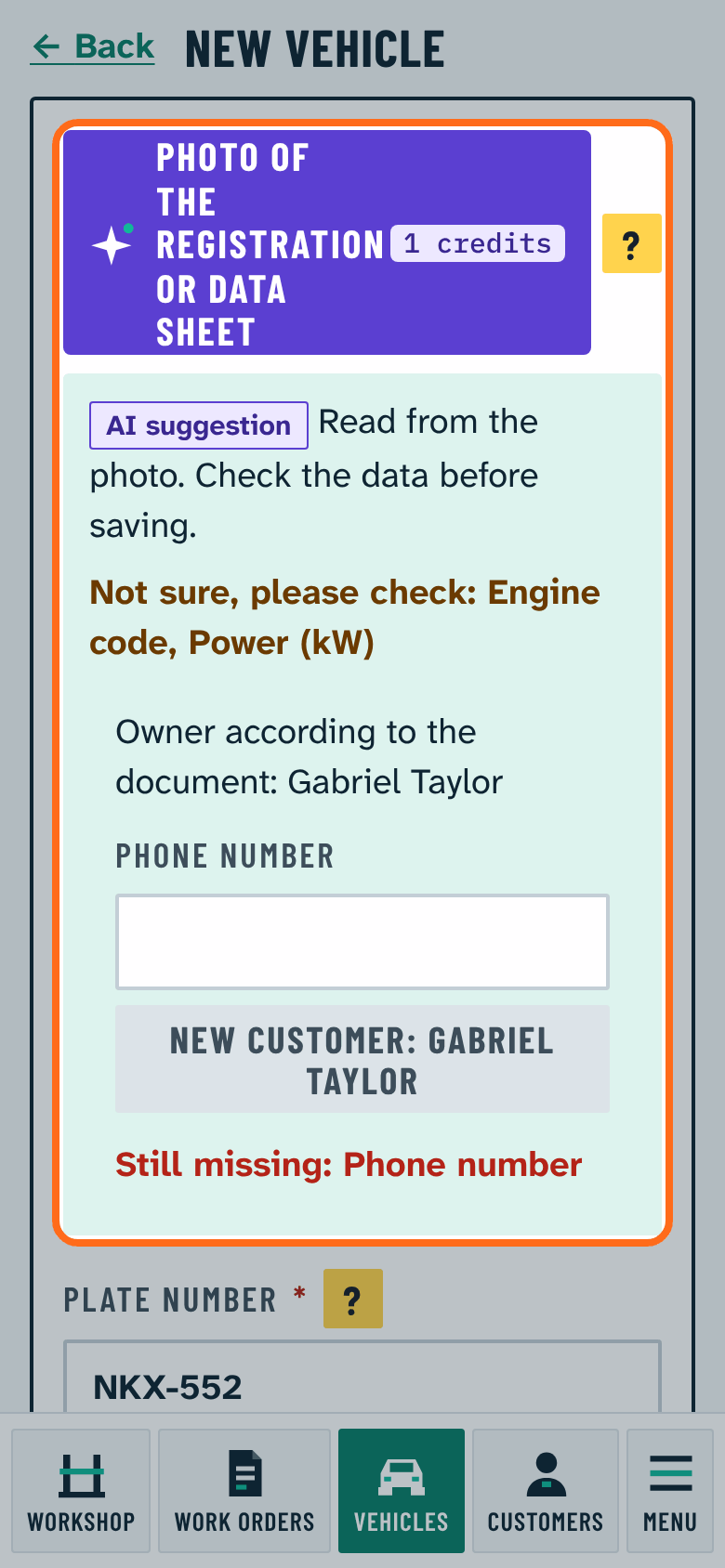
- The AI fills in the vehicle's data: plate, VIN, make, model, power, displacement, model year, fuel, and the engine code when it is printed (many certificates no longer show it; everything works without it, and the AI never makes one up).
- What it cannot read for sure is listed in orange ("Not sure, please check: ..."). Check these before saving.
- It invents nothing: if the photo cannot be read, it says so, and you can take a new photo or type the data.
- It offers the owner from the document. If already a customer, choose with one button; if not, add as a new customer after entering the phone number.
- Finally press Save.
The button shows when Read registration photo (AI) is switched on under Options in Settings and the AI service is available. Read data is marked AI suggestion: always check it before use. Everyday reading costs no credits up to a monthly number.